 Magyar
 Deutsch
 Hrvatski
 Nederlands
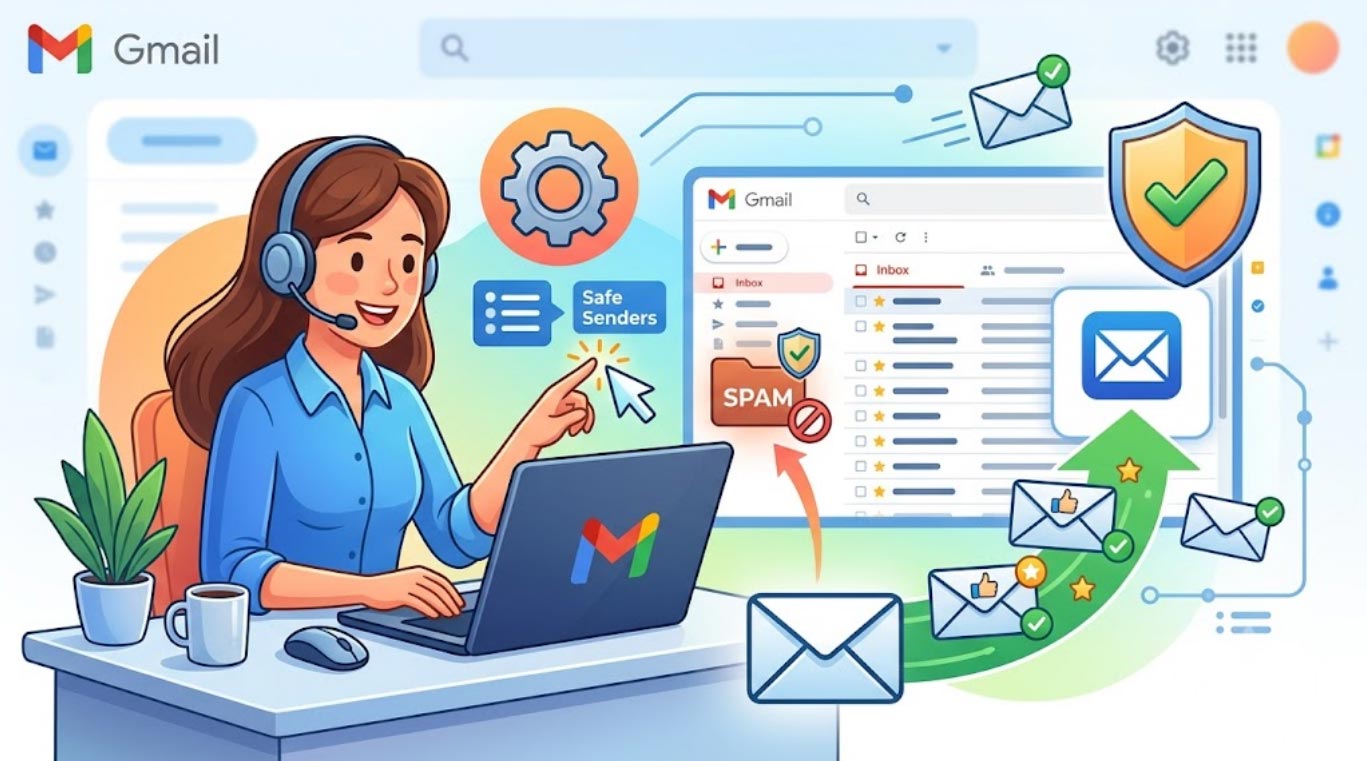
Step 1: Click on the gear icon in the top right corner, then click on "See all settings".
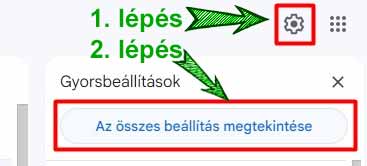
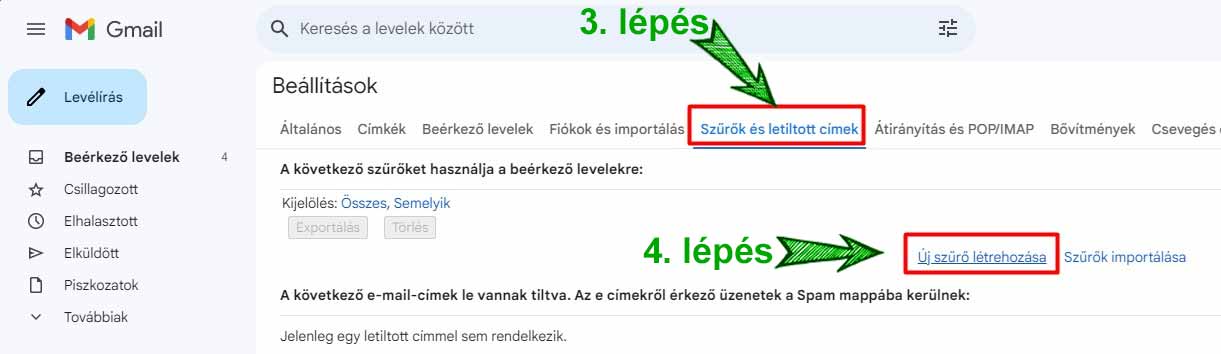
After selecting Step 3, if you already have multiple filters set up, scroll to the bottom of the page and click on the "Create a new filter" link.
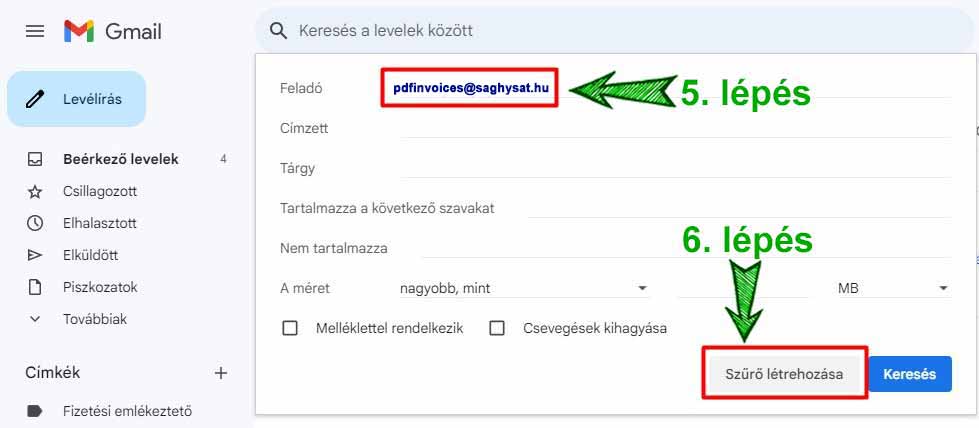
Step 5: In the "From" field, enter the email address pdfinvoices@saghysat.hu, then click on the "Create filter" button marked in Step 6.
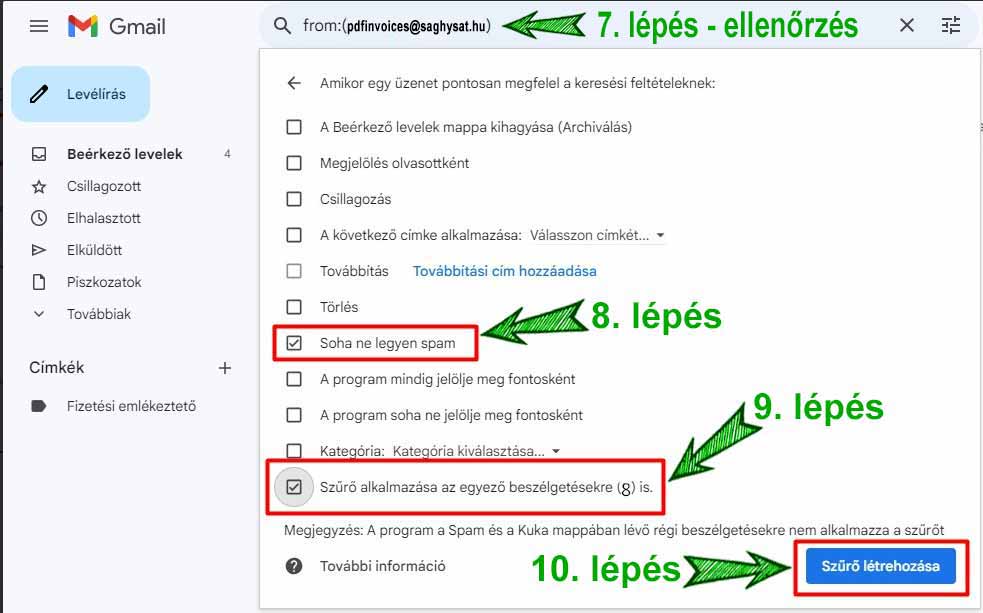
You will then see the following image. As Step 7, check the entered email address here.
As Step 8, check the "Never send it to Spam" box, as well as "Also apply filter to matching conversations" (Step 9).
Finally, click on the "Create filter" button marked in Step 10.
You have successfully completed the settings!
Congratulations!